
SECURITY & COMPANION COMPARISON
TopBlox vs RoPro vs RoGold: Which Roblox Companion is Safe in 2026?
Compare TopBlox, RoPro, and RoGold in 2026. A security and feature analysis of browser extensions vs desktop companions, covering .ROBLOSECURITY safety, Byfron rules, and playtime tracking.
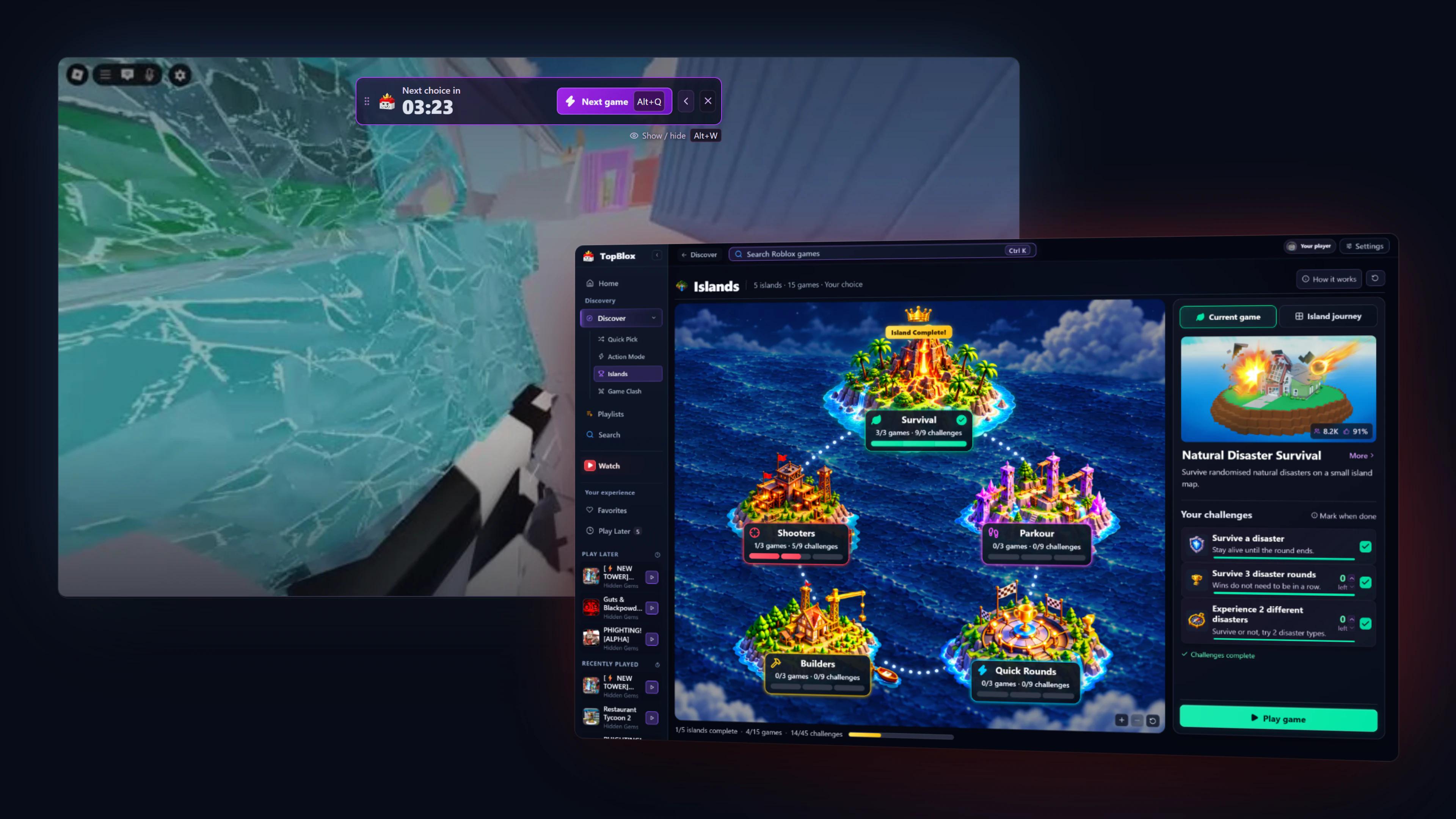
Quick Verdict (BLUF): Choose RoPro if your primary activity is high-volume Roblox item trading and resale calculators on the website. Choose RoGold if you want cosmetic dark modes and profile themes. Choose TopBlox if you prioritize account security (zero cookie exposure), system performance (no heavy browser tabs open during gameplay), curated game discovery, and reliable local playtime tracking verified by Overwolf.
HEAD TO HEAD
Architecture & Features Compared
How desktop companions differ from browser extensions in security, system overhead, and core utilities.
| Criteria | TopBlox | RoPro | RoGold |
|---|---|---|---|
| Architecture | Desktop App (Overwolf) | Browser Extension (Chrome/Edge) | Browser Extension (Chrome/Firefox) |
| Cookie Access (.ROBLOSECURITY) | Zero access (100% secure) | Full access in browser | Full access in browser |
| In-Game Overlay | Yes (Native Windows hotkey) | No (Website only) | No (Website only) |
| Playtime Tracking | Automatic local session logs | Website estimate timer | Basic log |
| Game Discovery | Curated playlists & Live CCU | Server filters & quick search | UI tweaks & pinned games |
| Pricing | 100% Free | Freemium ($2.99–$4.99/mo) | Freemium (Paid tiers) |
ACCOUNT PROTECTION
The .ROBLOSECURITY Cookie Problem
When you log into Roblox inside Google Chrome or Microsoft Edge, your browser creates a session token known as .ROBLOSECURITY. Anyone with access to this token can bypass your password, 2-Factor Authentication (2FA), and PIN to gain immediate control of your account and inventory.
Every browser extension you install requires broad permissions to read and alter site data on roblox.com. In the past, dozens of popular extensions have been secretly sold by their original developers to scam syndicates, which then push malicious background updates to drain Limited items.
The TopBlox Defense: TopBlox operates outside your web browser. It communicates solely with official public Roblox API endpoints to check game statistics, player counts, and server populations. It never requests or handles your account credentials, eliminating supply-chain cookie theft entirely.
PC RESOURCE MANAGEMENT
RAM Usage & Gaming Performance
Modern Chromium browsers are notorious for consuming 1.5 GB to 3 GB of system RAM, particularly when extensions inject heavy scripts into hundreds of webpage elements. Running Roblox while keeping multiple extension-laden tabs open can cause stuttering and frame drops on mid-range PCs.
TopBlox launches Roblox games directly through Windows protocol handlers (roblox://placeId=...). Once your game launches, you can safely close your browser, saving significant memory for the game client itself.
TOOL REVIEW
RoPro: When Does It Make Sense?
RoPro is primarily tailored toward the Roblox trading community. Features like accurate RAP (Recent Average Price) calculations, trade value projectors, and fast server hopping are genuinely valuable for players who treat Roblox as an active virtual economy. If trading Limiteds is your top priority, RoPro remains a competent choice, provided you keep it updated from official sources.
COSMETICS & TWEAKS
RoGold: When Does It Make Sense?
RoGold focuses on visual customizability, profile themes, and pinning frequent games inside the browser. While its UI enhancements are appealing, it remains bound by browser extension risks and cannot run an in-game desktop overlay or session tracker.
THE DESKTOP WAY
TopBlox: Purpose-Built for Gamers
If your main goal is simply playing great games with friends, TopBlox provides a cleaner, safer alternative:
- Curated Playlists: Skip algorithmically bloated discovery feeds with hand-vetted collections (Co-op, Horror, Hidden Gems, Simulators).
- Verified Overwolf Ecosystem: Every binary update is scanned and signed for malware safety and Byfron anti-cheat compliance.
- In-Game Overlay: Press a simple hotkey to check session timers, explore new titles, or chat without Alt-Tabbing.
Useful answers