
1. Install TopBlox on Windows
Download the free app and follow the Overwolf installer. Make sure Roblox opens a game on its own first.
FREE ROBLOX TRACKER FOR WINDOWS
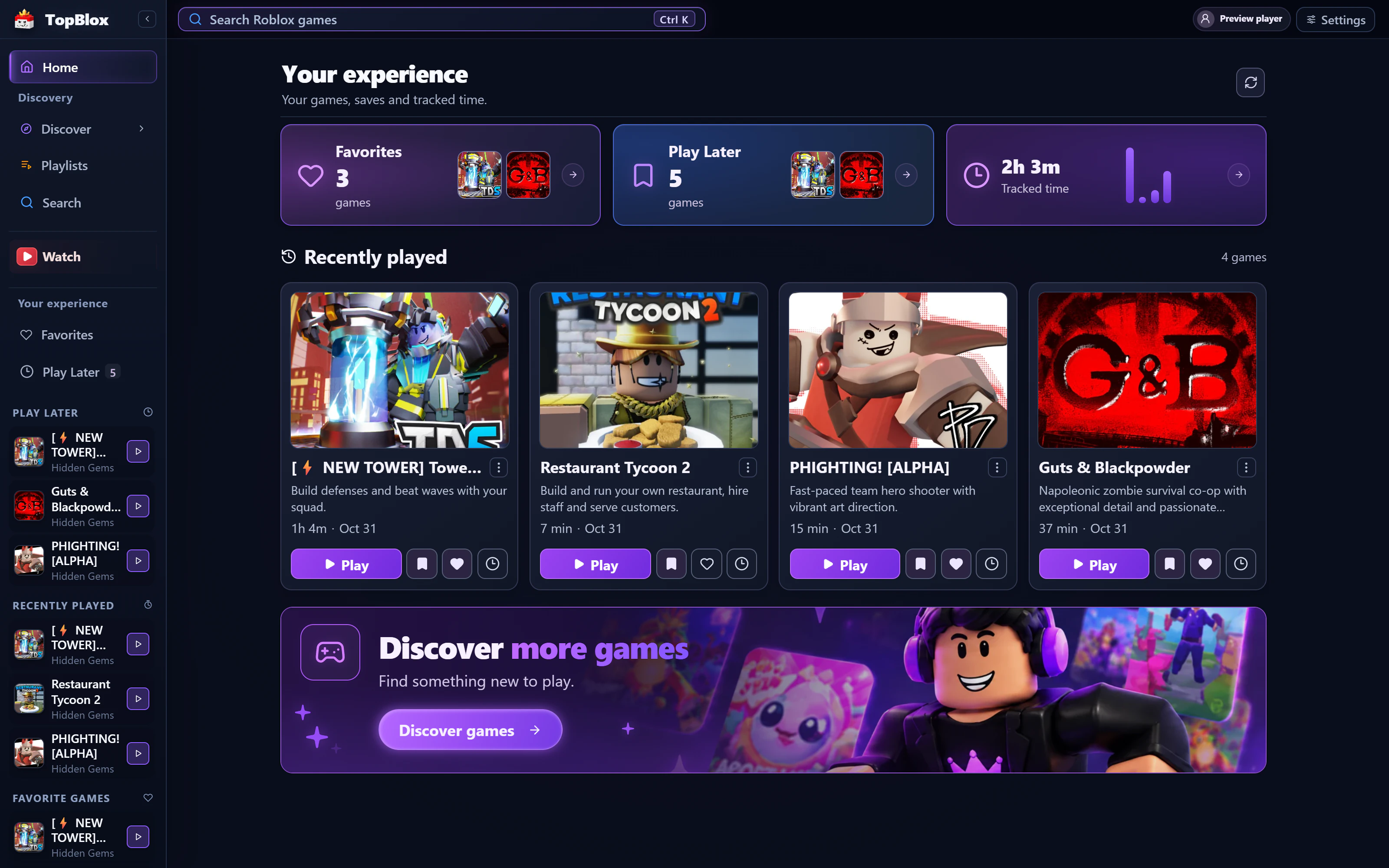
TopBlox is a free Roblox playtime tracker for Windows 10 and 11. It tracks time in the games it recognises and shows your recent games and playtime in one Overview.
Installs through Overwolf · 2,200+ downloads
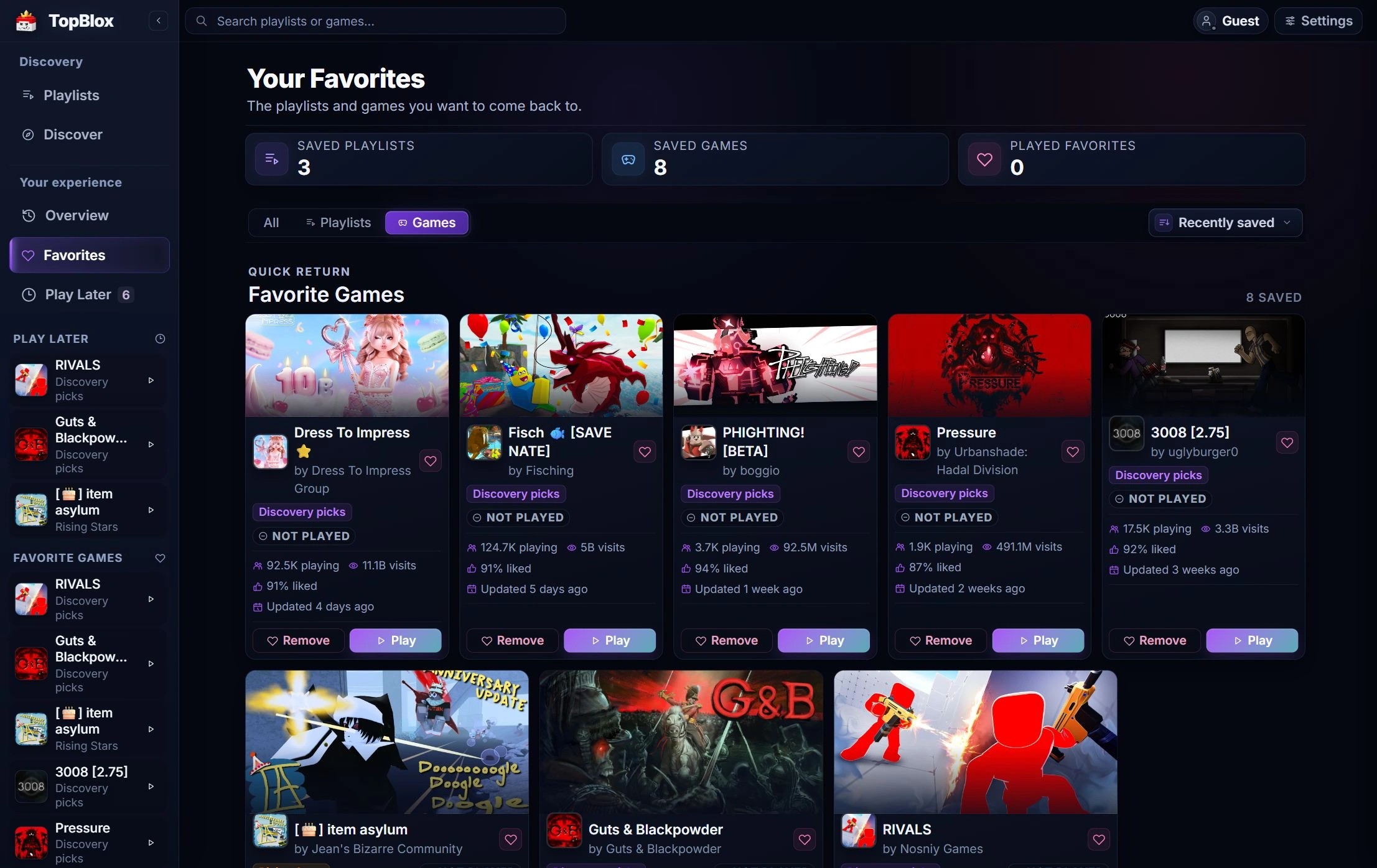
Roblox itself only shows the last 7 days of activity. TopBlox keeps tracking from the day you install it, next to your Favorites and Play Later lists.
SET IT UP ONCE
You need a Windows PC, Overwolf and the Roblox desktop client. After that there is nothing to start or stop: the tracker runs while TopBlox is open.
TopBlox reads Overwolf game information to tell which catalog game you are in. It does not touch the Roblox client or your account.
Setup and requirementsDownload the free app and follow the Overwolf installer. Make sure Roblox opens a game on its own first.
Start a game with Play Now or open it from Roblox yourself. TopBlox tracks time in the games it identifies while you play.
See your recent games and tracked playtime in one place, like a game history for this PC. You choose when a tracked game is marked Played.

WHAT COUNTS AS PLAYTIME
Time in identified catalog games while TopBlox runs on your Windows PC, plus your recent games and Played progress.
The tracker does not rebuild earlier play history. Your hours begin with the first session after TopBlox is installed.
Phones, tablets, consoles and other computers are outside the tracker. Use Roblox Screen Time for those.
ROBLOX TIME PLAYED: YOUR OPTIONS
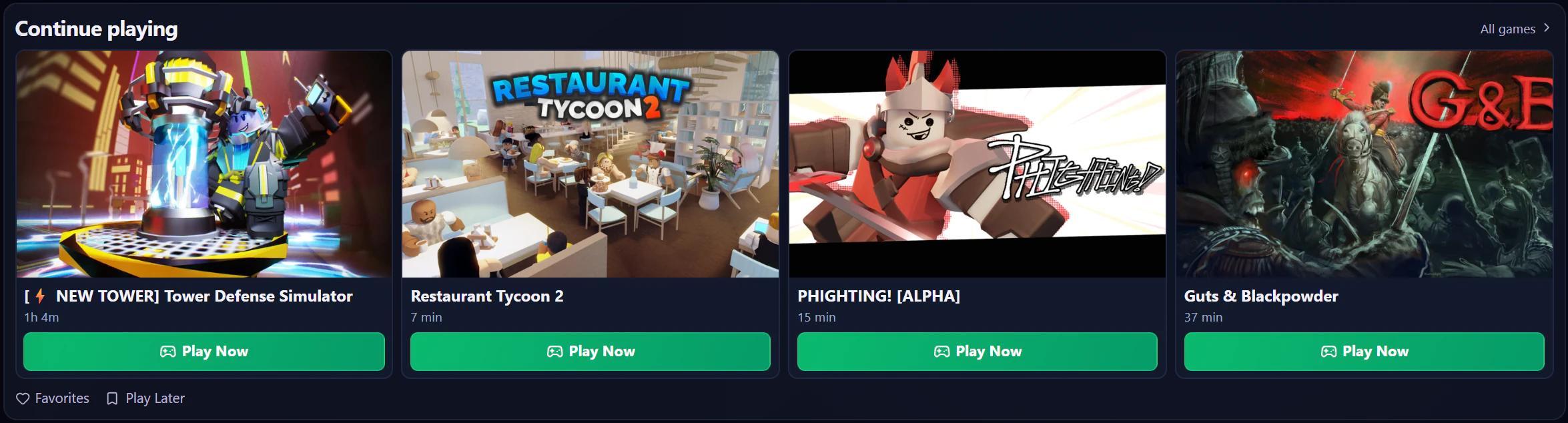
Roblox gives you two built-in views. A desktop tracker adds the ongoing record that those two do not keep.
| Method | Where it works | What you see | How far back |
|---|---|---|---|
| Roblox Screen Time | Mobile, PC, web and console | Time on Roblox and your top experiences | Past 7 rolling days only |
| Continue Playing row | All supported devices | Games in the order you last opened them, without hours | Recent games only |
| TopBlox playtime tracker | Windows 10 and Windows 11 | Recent games and tracked playtime, with Favorites and Play Later | From the day you install it |
Want the step-by-step version for every device? Read how to see your most played games on Roblox.
YOUR TIME AND PUBLIC NUMBERS
Tracked playtime describes your own sessions on this PC. Player counts, visits and votes describe a game across its whole audience. TopBlox shows both, and keeps them apart.
Tracking depends on Overwolf detecting the game. A session can go untracked when the game is not identified, and a player count can be available while your own session is not. If your time is not showing, check that Overwolf is running and that the overlay is enabled for Roblox.
See Roblox game player countsGOOD TO KNOW
What the tracker shows, where it works and what it needs. Visit support & FAQ
Roblox shows your activity for the last 7 days under Screen Time in Settings, and it has no lifetime hour counter for each game. For ongoing tracking on a Windows PC, install TopBlox: from that point on, its Overview lists your recent games and the playtime it tracked.
Only a short one. Screen Time in Roblox Settings covers the past 7 rolling days, and the Continue Playing row orders games by when you last opened them, not by hours. Neither keeps a longer history per game.
Yes. TopBlox is free to download and use on Windows through Overwolf. The app contains ads.
TopBlox tracks time in the catalog games it can identify while you play on your PC. It uses Overwolf game information for that, so detection, available game events and overlay setup affect what gets tracked.
No. TopBlox does not reconstruct earlier play history. Tracking starts once the app is installed and running alongside Roblox.
No. TopBlox is a desktop application for 64-bit Windows 10 and Windows 11 PCs. For phones, tablets and consoles, use Roblox Screen Time or the screen-time tools built into the device.
Yes, provided the tool does not inject into game memory or modify Roblox client binaries. TopBlox operates via the official Overwolf platform, tracks sessions externally and never asks for your Roblox login, password or cookies.
No. TopBlox detects a game whether you start it with Play Now or open it from Roblox yourself, as long as the app is running and the game is one it can identify.