
2026 PC LAUNCHER & CLIENT GUIDE
Best Roblox Launchers Comparison (2026): Bloxstrap, Fishstrap, Voidstrap & TopBlox
Compare the best Roblox launchers for PC in 2026: Bloxstrap, Fishstrap, Voidstrap, BetterLauncher, and TopBlox. Side-by-side analysis of FastFlags, safety, and playtime features.
Quick Verdict (BLUF): Choose Bloxstrap if you want open-source FastFlag tweaks, unlocked FPS caps, and Discord Rich Presence. Choose Fishstrap if you are an advanced user seeking low-level ping and network flags. Choose TopBlox if you want an officially verified Overwolf desktop companion that gives you curated game discovery, automatic session playtime tracking, and clean 1-click launching with zero ban risk.
HEAD TO HEAD
Roblox PC Launchers Compared (2026)
How the most popular Roblox desktop tools differ in features, modifications, and safety standards.
| Tool / Client | Primary Purpose | Modifies Binaries | Overwolf Certified | Playtime Tracking | Game Discovery |
|---|---|---|---|---|---|
| Bloxstrap | FastFlags & Discord RPC | Yes (Client flags/mods) | No (Open source) | Basic activity only | Standard search |
| Fishstrap | Advanced ping & FPS flags | Yes (Client flags/mods) | No (Forked tool) | No | Standard search |
| Voidstrap | FastFlag presets & UI | Yes (Presets engine) | No (Community tool) | No | Standard search |
| BetterLauncher | Account switching & server browser | Minimal | No (Independent app) | Yes | Standard search |
| TopBlox | Curated playlists & 1-click launch | Never (Zero injection) | Yes (Overwolf platform) | Automated hours log | Curated playlists & quiz |
THE COMMUNITY STANDARD
1. Bloxstrap: The Open-Source Customizer
Bloxstrap is an open-source alternative bootstrapper for Windows developed by pizzaboxer and contributors. Instead of launching Roblox through your browser, Bloxstrap intercepts the launch protocol and applies custom client configurations before the engine starts.
Key Strengths:
- FastFlag Editor: Easily configure rendering APIs (DirectX 11, Vulkan), texture quality, and display scaling.
- Discord Rich Presence: Shows your friends what experience you are playing on Discord.
- Legacy Audio & Mods: Bring back classic sounds like the original death noise and customized cursors.
Trade-offs: Because Bloxstrap directly configures internal FastFlags, an invalid configuration can cause game crashes or graphic artifacting. Read our dedicated guide on whether Bloxstrap is safe under Roblox rules.
THE POWER USER FORK
2. Fishstrap: Network & Performance Control
Fishstrap is a specialized fork of Bloxstrap maintained by a separate developer team. It is built specifically for competitive players in fast-paced Roblox games (such as RIVALS, Arsenal, and Jujutsu Shenanigans) who prioritize minimal input latency and network consistency.
Key Strengths:
- Aggressive Network Tweaks: Configurable MTU packet sizes and socket buffers to mitigate latency spikes.
- Targeted Optimization Profiles: One-click toggles for competitive battlegrounds and shooters.
Trade-offs: Rapid update cycles mean you must verify that you are downloading from the official GitHub repository to avoid malicious clones.
MODERN INTERFACES
3. Voidstrap & BetterLauncher
For players who want a sleek dashboard experience, two notable alternatives have gained traction:
- Voidstrap: A lightweight redesign focusing on a streamlined setup wizard and curated performance presets.
- BetterLauncher: Focuses heavily on multi-account management and server region filtering rather than low-level FastFlags.
OFFICIAL COMPANION & DISCOVERY
4. TopBlox: Curated Discovery & Playtime Tracking
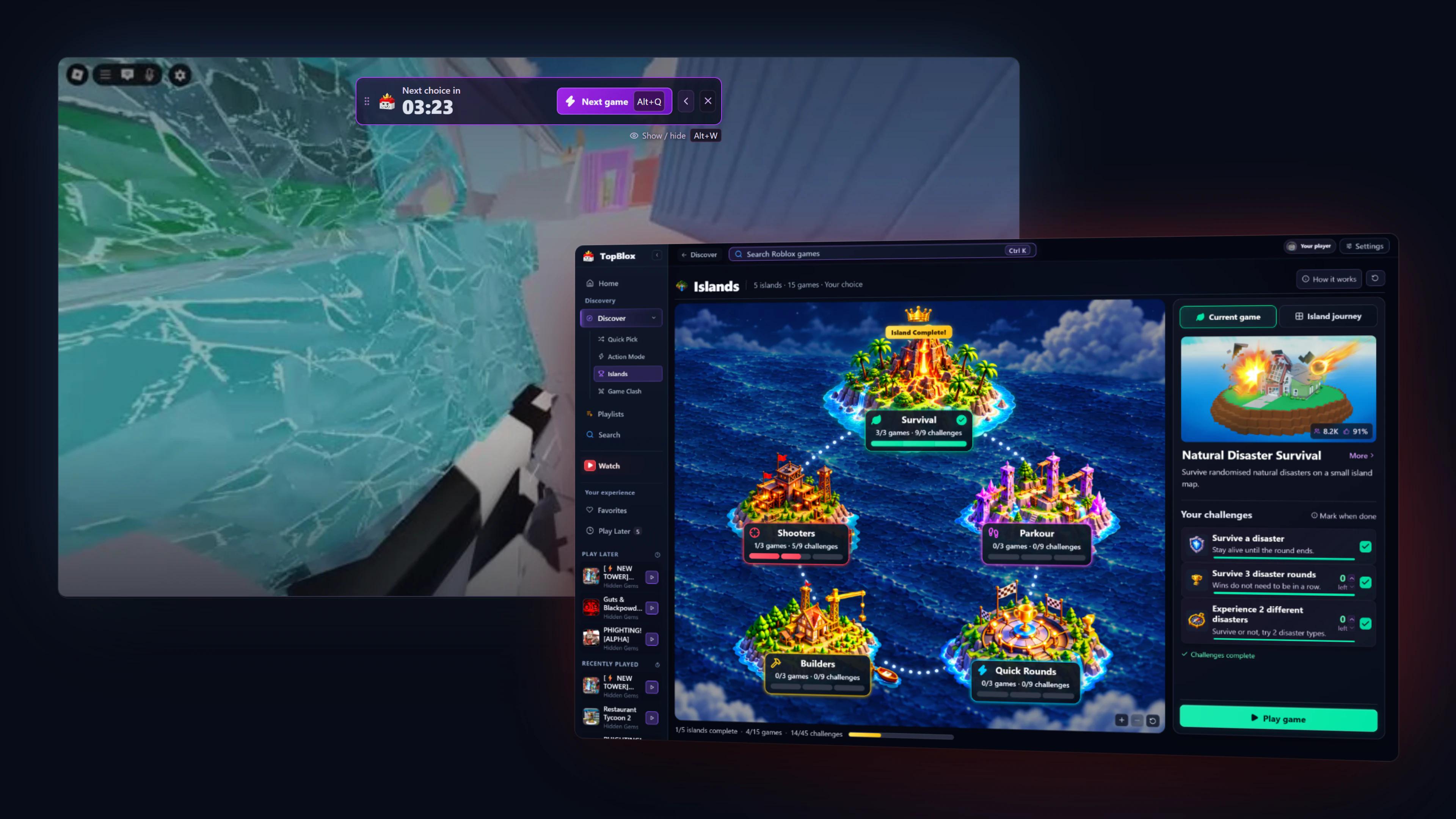
TopBlox takes a fundamentally different architectural approach. Instead of attempting to modify Roblox's rendering engine or FastFlags, TopBlox is a desktop companion app certified by Overwolf that solves the biggest problem Roblox players face: finding high-quality games worth playing and tracking personal gameplay history.
Why Players Choose TopBlox:
- 1-Click Desktop Launching: Launch any game directly from your personal library without dealing with web browser redirect lag.
- Curated Themed Playlists: Browse hand-tested collections like Hidden Gems, Best With Friends, and Fast Action & FPS.
- Automated Playtime Hours Tracker: Roblox only shows rolling 7-day Screen Time; TopBlox automatically logs session hours for every game you play. Learn more in our playtime tracker guide.
- Zero Ban Risk: Built strictly according to Overwolf and Roblox anti-cheat guidelines—no DLL injection, no game file modification, and no credential capture.
BYFRON & ACCOUNT SAFETY
5. Roblox Anti-Cheat & FastFlag Guidelines
Roblox operates with Byfron (Hyperion) anti-cheat protection on 64-bit Windows. Roblox staff have officially confirmed that modifying memory or injecting unauthorized code into the Roblox client process results in automatic moderation.
If you use bootstrappers, only adjust flags listed on Roblox's official developer forum allowlist. Never download launchers from unverified YouTube links or unofficial third-party domain clones.
Useful answers