
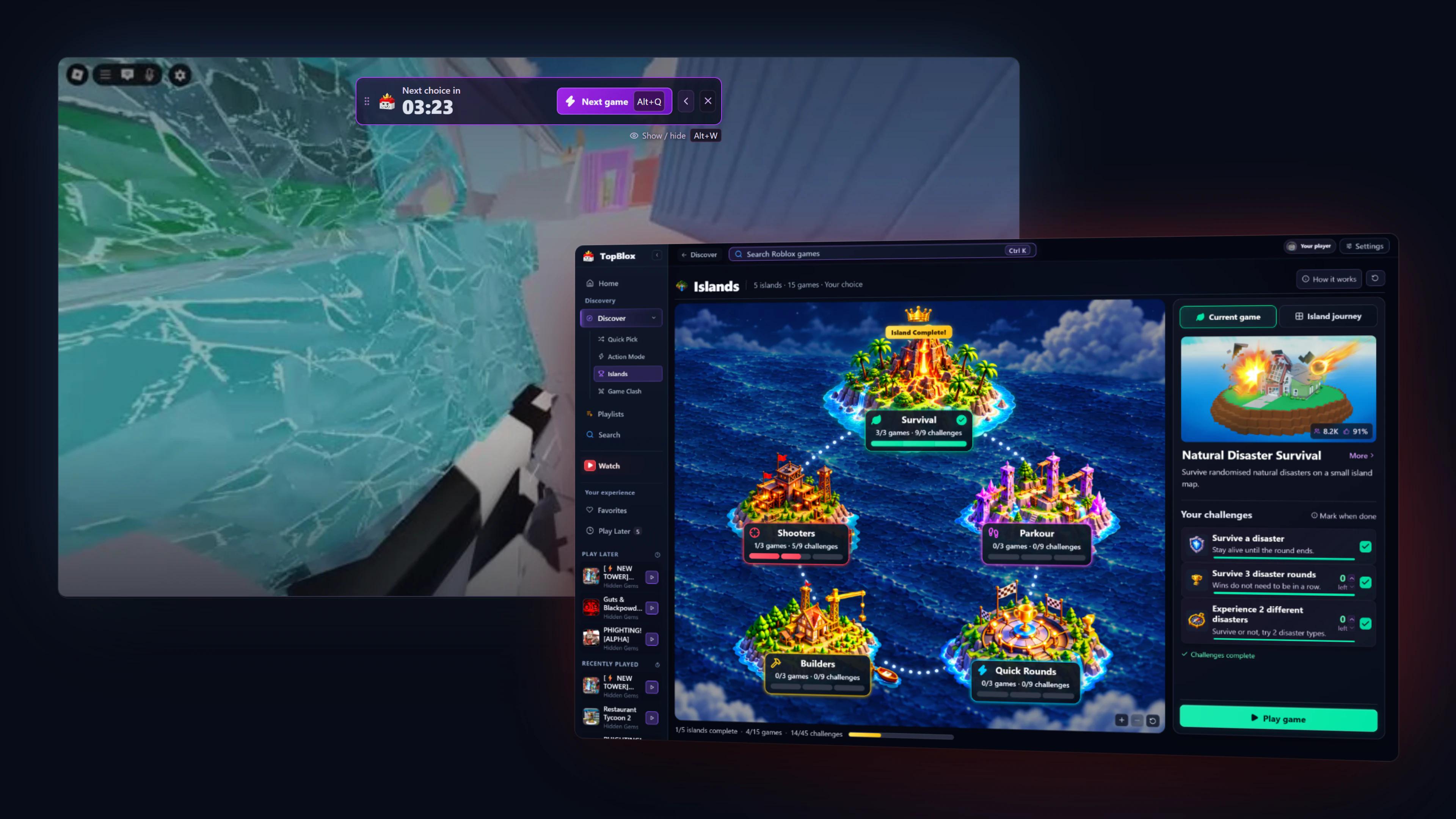
What Bloxstrap does to Roblox
On Windows, Roblox starts through a small launcher, also called a bootstrapper. It downloads and updates Roblox Player and opens the game you pick. Bloxstrap is an open-source replacement for that launcher. Once installed, it registers itself as the program Windows uses to open Roblox links, keeps its own copy of the Roblox client and starts it for you.
It adds extras Roblox's launcher does not have: Discord Rich Presence, a rough location of the server you joined, a game history, and mods that swap content files such as cursors, sounds and fonts. Its Fast Flag settings are now limited by Roblox's allowlist. Bloxstrap runs on Windows only and needs Microsoft's .NET 6 Desktop Runtime. Fishstrap is a fork that works the same way and adds more features.
What Roblox cares about is how deep a tool reaches. The diagram shows where each one stops.
- 1. Roblox link
- 2. Launcher
- 3. Files and settings
- 4. Running game
TopBlox: Stage 1 only. Hands Roblox's own launch link to Windows. It does not install, replace or edit the launcher, the game files or the running game.
Bloxstrap or Fishstrap, launching only: Stages 1 and 2. Becomes the program Windows uses to open Roblox links and downloads its own copy of Roblox Player.
Bloxstrap or Fishstrap with mods or Fast Flags: Stages 1 to 3. Also copies your mod files into its client folder and writes Fast Flags to the client settings file, where Roblox applies only allowlisted flags.
Modified client or exploit: All four. Changes the Roblox program or its memory while it runs. This is what Roblox says it may act on, up to account termination.
Official Roblox launcher vs Bloxstrap vs Fishstrap vs TopBlox
Four tools people mix up, compared on what matters for safety. Each fact comes from the project's own pages or Roblox's announcements, checked on November 18, 2026.
| Question | Official Roblox launcher | Bloxstrap | Fishstrap | TopBlox |
|---|---|---|---|---|
| What it is | Roblox's own installer and launcher | Open-source replacement for Roblox's launcher | Open-source fork of Bloxstrap | Free companion app, with ads, for finding, saving and launching games |
| What it replaces or changes | Nothing. It is the default | Opens Roblox links in place of Roblox's launcher and keeps its own client copy | Same as Bloxstrap | Nothing in Roblox. It sends Roblox's launch link to Windows |
| Open source | No | Yes, MIT license | Yes, MIT license | No |
| Fast Flag editing | No editor. Roblox applies only allowlisted flags | Editor shown again since v2.11 (April 2026) if Roblox Studio is installed, with an allowlist warning | Editor that applies only allowlisted flags | None |
| Mods (cursors, sounds, fonts) | No | Yes | Yes | No |
| Other extras | Graphics settings in the in-game menu | Discord Rich Presence, server location, game history | Server details, Discord invites, cache cleaner, channel switcher | Playlists, Favorites, Play Later, playtime tracking, in-game overlay |
| Official download | roblox.com/download | GitHub (bloxstraplabs) or bloxstraplabs.com only | GitHub (fishstrap) or fishstrap.app only | Overwolf, through our download page |
| Latest release we saw | Updates itself | v2.11.4, August 5, 2026. Its README says it is no longer actively developed | v3.3.0, November 11, 2026 | Listed on the Overwolf Appstore |
| What Roblox's rules mean for it | The supported way to play | Not supported by Roblox. Staff say it does not touch the client process | Not supported or named by Roblox. Works the same way as Bloxstrap | Not made or endorsed by Roblox. Uses Roblox's standard launch link |
Roblox does not publish a list of approved third-party launchers. “Not supported” means Roblox does not promise they keep working, as its May 2025 announcement puts it, not that they are banned.
Safe setup checklist for Bloxstrap or Fishstrap
If you decide to use a bootstrapper, this order keeps the risk low and makes problems easy to undo.
- Check that Roblox works on its own. Install it from roblox.com/download and join a game. If it will not start, fix that first with our guide to Roblox not opening on PC, so you can tell later which program caused a problem.
- Type the official address yourself. Bloxstrap: github.com/bloxstraplabs/bloxstrap/releases or bloxstraplabs.com. Fishstrap: github.com/fishstrap/fishstrap/releases or fishstrap.app. Skip search ads, video descriptions and links sent to you on Discord.
- Check the file before you run it. The Bloxstrap release file is named like Bloxstrap-v2.11.4.exe, and builds have been digitally signed since v2.9.0. In File Explorer, right-click the file, choose Properties and look for a Digital Signatures tab.
- Install only what it asks for. Bloxstrap may ask for Microsoft's .NET 6 Desktop Runtime, and Windows SmartScreen can warn about a new program, as its README explains. Nothing legitimate asks for your Roblox password, your browser cookies, or for your antivirus to be switched off.
- Keep Fast Flags to Roblox's allowlist. Other flags are ignored anyway. Do not install programs or shared configs that promise blocked flags or an advantage.
- Leave out multi-instance and anything that bypasses Roblox's protections. Roblox staff count running several clients at once as an exploit, even though they do not currently ban for it.
- Know your way back. Uninstall from Windows Settings, then Apps. Bloxstrap's uninstaller points Roblox links back to Roblox Player when it is still installed; if it is not, reinstall Roblox. If Roblox crashes after a change, see how to fix Roblox crashing on PC.
Can Bloxstrap get you banned?
Roblox has not said it bans players for using Bloxstrap, and its staff have said the opposite more than once. What Roblox does act on is a modified client, and that is the line to stay behind.
In September 2023, Roblox staff member Bitdancer wrote on the developer forum that Bloxstrap is not officially supported but is not on Roblox's blocklist and does not interact with the client's process memory, and that bootstrappers “are, in general, fine, assuming they don't try to access the client process” .
In May 2025, Roblox announced automated action, up to account termination, against players it detects using modified clients: custom builds of Roblox, or the official app changed by another tool while it runs. The announcement's FAQ said this should not affect Bloxstrap at that time because Bloxstrap does not modify the client binary, while repeating that Roblox does not support third-party software and cannot promise it keeps working.
Two points are less settled. Roblox's help article on anti-cheat messages says it is against the rules to use modified versions of Roblox or software that changes how Roblox works, wording broad enough to cover more than exploits. Roblox has also not published a position on content mods such as a custom cursor or death sound, and its Terms of Use (section 9.2) bar altering any part of the service unless Roblox authorizes it. We found no official case of either rule being used against a bootstrapper user, but nobody outside Roblox can rule it out.
Individual games can set stricter rules. Evade's official Roblox page, for example, warns that using exploits, Fast Flags or other cheats leads to a ban that cannot be appealed. Read a game's description if you keep any flags set.
Multi-instance is the clearest gray area. In July 2025, Bitdancer answered a player who had used it through Fishstrap: Roblox considers it an exploit because it bypasses engine code written to stop several clients running at once, does not ban for it because it is so widespread, and that could change. Bloxstrap removed the option in v2.10.0.
If Roblox shows an anti-cheat message
Roblox's help center lists the messages its client can show. If Roblox closes saying it crashed because of incompatible software and names a file path, the help article says to stop that program while you play. If the message says a modified version of Roblox was used, it asks you to uninstall unofficial versions and reinstall Roblox from its website or official app stores.
Roblox's Windows anti-cheat builds on Byfron, a company Roblox acquired in 2022. Roblox does not publish how it decides what to flag. If you believe a decision is wrong, Roblox's announcement points to its Violations and Appeals page.
What changed with Roblox's Fast Flag allowlist?
Fast Flags are internal switches Roblox engineers use to turn engine features on and off without shipping an update. Players could override them in a local file, ClientAppSettings.json, which is what Bloxstrap's engine settings wrote to.
On September 29, 2025, Roblox announced the Fast Flag allowlist and rolled it out over the following days. Roblox Player now reads only flags on Roblox's list, and any other flag in the file is ignored. Roblox gave two reasons: flags were increasingly used for cheating and abuse, and some broke the client badly enough to need a reinstall.
For safety, the key line is in Roblox's own FAQ on that post: trying a flag that is not on the list has no consequence, it simply does nothing. Roblox Studio is not affected. Roblox says it can add or remove flags at any time, and players can ask for a flag through a feature request.
The 18 flags on the list when we checked
Copied from Roblox's allowlist post on November 18, 2026. Roblox can change it without notice.
Geometry (4)
DFIntCSGLevelOfDetailSwitchingDistanceDFIntCSGLevelOfDetailSwitchingDistanceL12DFIntCSGLevelOfDetailSwitchingDistanceL23DFIntCSGLevelOfDetailSwitchingDistanceL34
Rendering (13)
FFlagHandleAltEnterFullscreenManuallyDFFlagTextureQualityOverrideEnabledDFIntTextureQualityOverrideFIntDebugForceMSAASamplesDFFlagDisableDPIScaleFFlagDebugGraphicsPreferD3D11FFlagDebugSkyGrayDFFlagDebugPauseVoxelizerDFIntDebugFRMQualityLevelOverrideFIntFRMMaxGrassDistanceFIntFRMMinGrassDistanceFFlagDebugGraphicsPreferVulkanFFlagDebugGraphicsPreferOpenGL
User interface (1)
FIntGrassMovementReducedMotionFactor
Bootstrappers followed. Bloxstrap v2.10.0 (October 1, 2025) removed its Fast Flag editor for Roblox Player along with several presets that no longer worked, and v2.11 (April 2026) showed the editor again for people with Roblox Studio installed, with a warning about the allowlist. Fishstrap's editor applies only allowlisted flags.
The risk now sits with tools that promise blocked flags. Fishstrap's FAQ warns that such programs will likely get you hacked or banned. A tool that forces a flag the client ignores would have to change the client while it runs, which is the kind of modification Roblox's 2025 enforcement targets.
Is Fishstrap safe? Bloxstrap vs Fishstrap
Fishstrap is in the same position as Bloxstrap. It is a fork of Bloxstrap under the MIT license, for Windows 10 and later, published only on its GitHub repository and fishstrap.app. Its FAQ points out that fishstrap.com is not its site, says Fishstrap does not modify the client binary, and treats replaced textures or sounds as separate files rather than a modified client.
Roblox's public statements name Bloxstrap, not Fishstrap. The reason Roblox gave for Bloxstrap, that it does not modify the client binary, also describes how Fishstrap works, but we found nothing in which Roblox confirms it for Fishstrap by name.
The practical differences:
- Updates: Fishstrap released v3.3.0 on November 11, 2026. Bloxstrap's README says it is no longer under active development, though v2.11.4 shipped on August 5, 2026.
- Only in Fishstrap: detailed server information from RoValra's API, Discord invites into your game, a cache cleaner and a channel switcher.
- In both: mods, Discord Rich Presence, Roblox Studio support, Fast Flag settings limited by the allowlist, and Windows only.
Neither is safer by design. Both are open source and equally safe when downloaded from their own sources. If you want a bootstrapper with frequent releases, Fishstrap is the one getting them.
How to spot a fake Bloxstrap download
Bloxstrap's README says its GitHub repository and bloxstraplabs.com are the only official places to download it, and that any other site offering downloads or claiming to be the project is not theirs. Many sites use “Bloxstrap” in their address, and a familiar name or a “verified” label on the page does not change that. Fishstrap says the same about anything other than its GitHub and fishstrap.app.
It matters because Roblox warns that modified Roblox apps can be used to steal account information, and its 2025 announcement notes that exploit software can contain malware.
Signs a download is not the real one:
- The address is not github.com/bloxstraplabs/bloxstrap or bloxstraplabs.com (for Fishstrap: github.com/fishstrap/fishstrap or fishstrap.app).
- The file does not come from a GitHub release page, or it arrives as a password-protected archive.
- It promises Robux, an “anti-ban” mode, unlocked Fast Flags or a paid premium version. Bloxstrap and Fishstrap are free.
- It asks for your Roblox password or browser cookies, or tells you to turn off your antivirus.
An antivirus warning on a file from the official GitHub release can happen with new open-source builds, as Fishstrap's FAQ notes, and in GitHub issue #489 Bloxstrap's maintainers answered the same worry by pointing to the public source. A warning on a file from any other site is a reason to delete it.
Already ran a file from a site you now doubt? Uninstall it, run a full scan with Windows Security, change your Roblox password from a device you trust, and turn on 2-Step Verification.
Do you need a bootstrapper at all?
Probably not, if you only want to play. Roblox's own launcher from roblox.com/download installs and updates Roblox Player and opens the games you choose, and graphics are set in the in-game menu under Graphics Mode and Graphics Quality. Bloxstrap itself dropped several presets in v2.10.0 because they stopped working after Roblox changes or Roblox added its own setting, such as text size in game.
A bootstrapper earns its place if you want what the official launcher does not do: showing your game in Discord, swapping cursors or sounds with mods, seeing roughly where your server is, or starting Roblox Studio through it. For that, use Bloxstrap or Fishstrap from their official sources and follow the checklist above.
If what you want is to get into games faster and remember the ones you liked, that is not a bootstrapper's job. We explain the difference between the three kinds of Roblox launcher: the official one, bootstrappers, and companion apps that leave the client alone.
If you just want faster launching and a game library
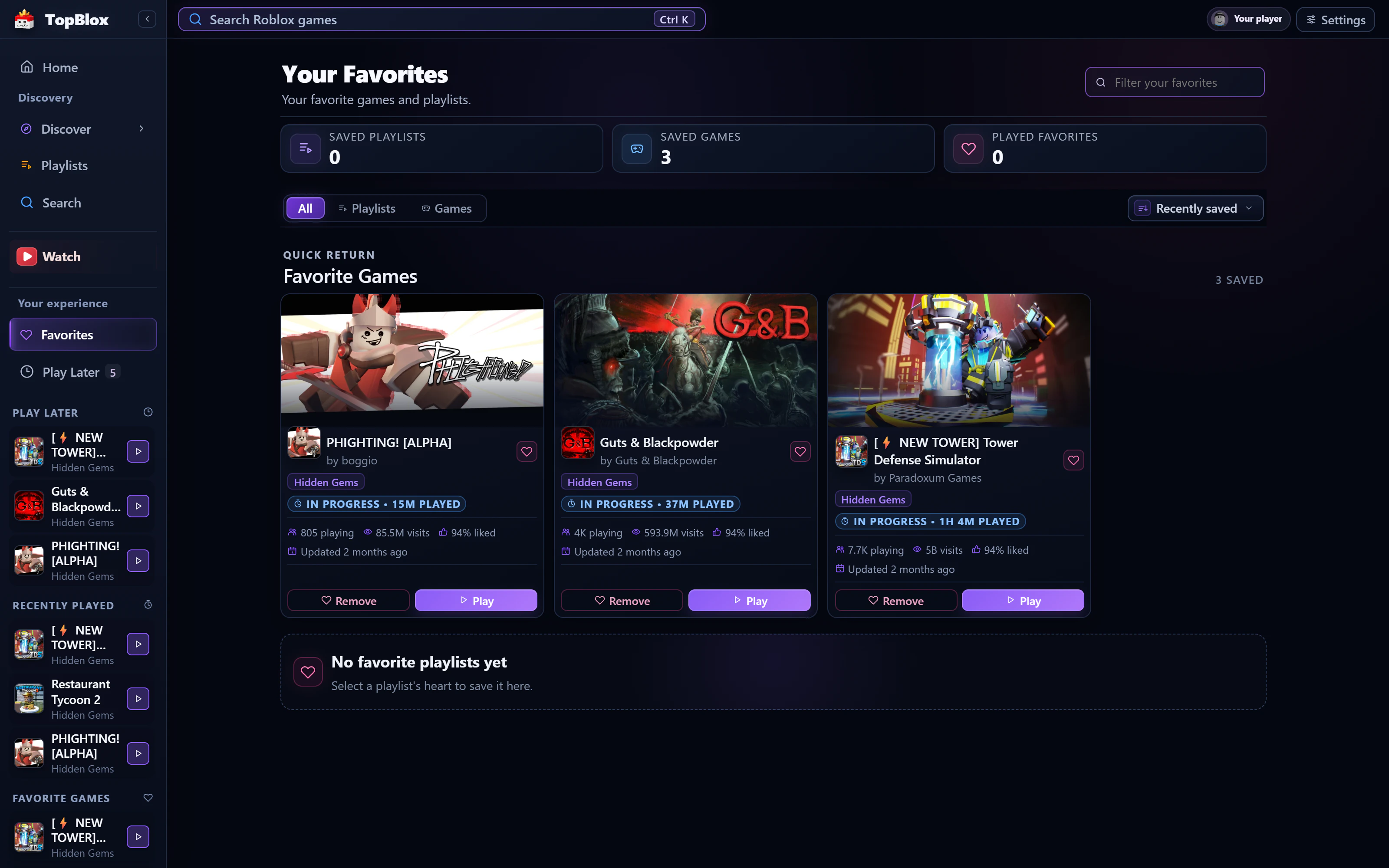
Many players install a bootstrapper for convenience. If that is your reason, TopBlox, our free Windows app, covers it without replacing anything: save games to Favorites and Play Later, start them with Play Now in 1 click, and see how long you have played each one. It hands the game to Roblox through Roblox's standard launch link and does not edit Roblox's files or memory.
It does not edit Fast Flags, install mods or change client settings. That is a choice of scope, not a verdict on bootstrappers: for Discord status or custom sounds, Bloxstrap or Fishstrap from their official sources is the right tool. No third-party app, TopBlox included, can promise anything about Roblox moderation, as our safety page explains. To skip browser tabs as well, see how to launch Roblox games without a browser.
Useful answers
Questions about Bloxstrap and Fishstrap
Is Bloxstrap a virus?
Nothing we found shows that the official download is. Bloxstrap is open source under the MIT license, its builds are code signed, and its maintainers point to the public source code when people ask (GitHub issue #489). New open-source builds can still trigger false antivirus alerts. Copies from other websites are a different matter: the project says only its GitHub repository and bloxstraplabs.com are official.
Is Bloxstrap still allowed on Roblox in 2026?
Roblox does not support it, but its public statements say it is not banned. In 2023 Roblox staff said it is not on Roblox's blocklist, and Roblox's May 2025 announcement on modified clients said that change should not affect Bloxstrap because it does not modify the client binary. Since September 2025, only Fast Flags on Roblox's allowlist take effect. We found no newer official statement as of November 18, 2026.
Do Fast Flags still work in Bloxstrap or Fishstrap?
Only the ones on Roblox's allowlist, which had 18 flags when we checked. Any other flag you set is ignored, and Roblox says nothing further happens to your account for trying. Roblox Studio is not limited by the allowlist. Programs that promise to unlock blocked flags are the risky part, and some games, such as Evade, ban players for using Fast Flags at all.
Is Fishstrap better than Bloxstrap?
It is more actively updated: Fishstrap shipped v3.3.0 on November 11, 2026, while Bloxstrap's README says it is no longer under active development. Fishstrap adds detailed server information, Discord invites, a cache cleaner and a channel switcher. Both are open source, Windows only, and equally safe when downloaded from their official sources.
Can I still use multi-instance with Bloxstrap?
Not in current versions. Bloxstrap removed multi-instance launching in v2.10.0 in October 2025, saying Roblox broke it. A Roblox staff member said in July 2025 that Roblox considers multi-instance an exploit, does not ban for it because it is so widespread, and that this could change.
How do I uninstall Bloxstrap and go back to normal Roblox?
Open Windows Settings, go to Apps, find Bloxstrap and select Uninstall. According to its source code, the uninstaller points Roblox links back to Roblox Player if Roblox's own installation is still there. If games stop opening afterwards, reinstall Roblox from roblox.com.
Can I use TopBlox together with Bloxstrap or Fishstrap?
TopBlox does not replace or block a bootstrapper. Its Play Now button hands a Roblox launch link to Windows, and Windows opens it with whichever program is registered for Roblox links. Bloxstrap and Fishstrap register themselves for those links when you install them, so the game then starts through them. We have not tested every bootstrapper version.
Sources and how we checked
We read Roblox's announcements, help articles and Terms of Use, and the Bloxstrap and Fishstrap repositories, release notes, source code and FAQs, on November 18, 2026. This is desk research: we did not run malware scans or test ban outcomes, and nobody outside Roblox can. TopBlox and this page are made by SY DEV LABS. We have no connection to Bloxstrap or Fishstrap.
- Roblox DevForum: Allowlist for local client configuration via Fast Flags (September 29, 2025)
- Roblox DevForum: An Update on Automated Action Against Modified Clients (May 6, 2025)
- Roblox staff reply in Welcoming Byfron to Roblox (September 18, 2023), and the original announcement (October 11, 2022)
- Roblox staff replies in Is FishStrap / BloxStrap no longer allowed on the platform? (July 30, 2025)
- Roblox Help: Anti-cheat Messages, Graphics Quality, How Do I Reinstall the Roblox Software?, Add 2-Step Verification and the Roblox Terms of Use
- Evade's official Roblox page, creator description checked November 18, 2026
- Bloxstrap: README, release notes, FAQ, Bloxstrap and Bans, Modding, Engine settings, source code for Roblox link registration and the uninstaller, and issue #489
- Fishstrap: README, release notes, FAQ, website and source code for Roblox link registration