
ROBLOX COMPANIONS & GUIDES
Are There Apps with Player Guides for Roblox? Best Companion Tools (2026)
Looking for Roblox companion apps and player guides? Explore the safest desktop apps, walkthrough tools, and discovery platforms to enhance your Roblox gameplay in 2026.
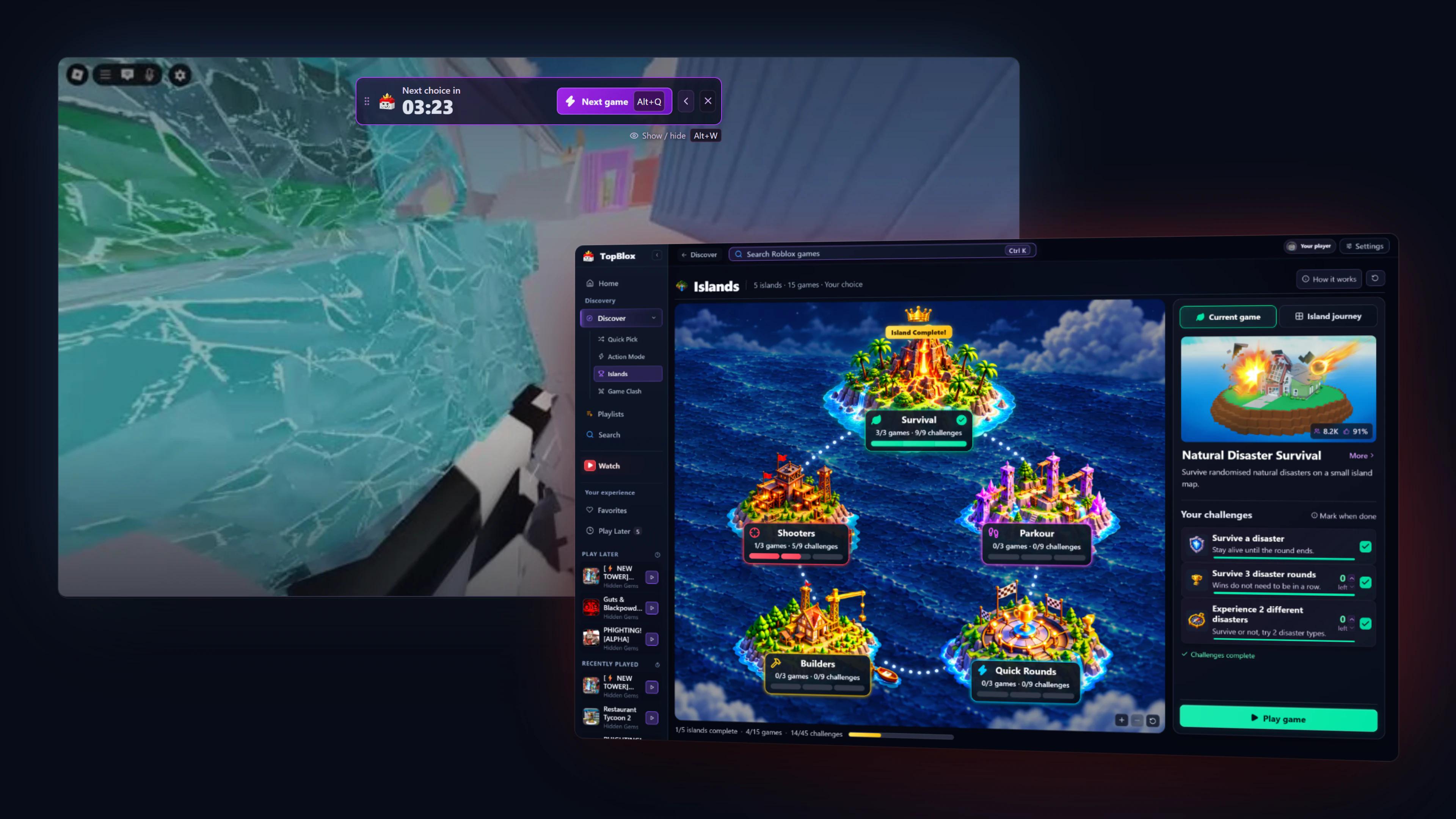
Quick Answer (BLUF): Yes, there are dedicated apps and platforms for Roblox player guides. While legacy players relied on ad-heavy Fandom wikis and Reddit threads, modern PC players in 2026 use verified desktop companion apps like TopBlox. TopBlox delivers curated game playlists, real-time concurrent player (CCU) telemetry, safe 1-click launching, and in-game playtime tracking through an Overwolf-approved, Byfron-compliant desktop overlay.
ECOSYSTEM EVOLUTION
1. The Roblox Guide & Companion Landscape
As Roblox has matured into an ecosystem hosting over 40 million distinct experiences, finding high-quality gameplay guides and underrated titles has become a major challenge. The native Roblox discovery feed heavily favors algorithmic trends and established commercial titles, leaving millions of players searching for:
- Community forums: Reddit communities like r/roblox and developer spaces on DevForum discuss updates, but lack structured in-game tooling.
- Wikis and walkthrough portals: Community-edited Fandom wikis document complex mechanics for games like Deepwoken, Blox Fruits, and Fisch, but suffer from high browser memory consumption and intrusive advertisements.
- Dedicated desktop companion apps: Native PC apps such as TopBlox provide curated discovery, live server statistics, and session timers accessible directly through hotkeys during active gameplay.
HEAD-TO-HEAD COMPARISON
2. Companion Apps vs. Wikis & Web Forums
| Feature | Desktop Companion (TopBlox) | Fandom Wikis | Reddit & Forums |
|---|---|---|---|
| In-Game Overlay | Yes (instant hotkey access) | No (requires alt-tabbing) | No |
| Account Security | 100% safe (zero cookie access) | Safe (read-only) | Safe (read-only) |
| Playtime Tracking | Automatic & persistent | None | None |
| Curated Game Playlists | Hand-picked & vetted | Single-game focused | Scattered threads |
| RAM & CPU Footprint | Lightweight native client | Heavy browser memory usage | Moderate browser usage |
SECURITY ARCHITECTURE
3. Anti-Cheat Safety: Byfron & Overwolf
Security is the primary consideration when evaluating third-party Roblox software. Roblox protects its Windows client with Hyperion (Byfron), an anti-tamper system that flags unauthorized code injection and debugger hooks.
TopBlox operates within the Overwolf application framework, which maintains official compliance standards with major PC game publishers. Because TopBlox communicates exclusively via public web APIs and draws a hardware-accelerated desktop overlay without hooking into Roblox's internal memory space, your account carries zero risk of suspension or automated bans.
PRODUCT CAPABILITIES
4. Essential Features of a Modern Roblox Companion
When choosing a companion tool in 2026, ensure it provides practical value before, during, and after your gaming sessions:
- Smart Game Discovery: Curated playlists categorized by group size (solo, 2-player, squad), gameplay vibe, and challenge difficulty—filtering out low-effort copycat experiences.
- Live Server CCU Telemetry: Accurate concurrent player counts updated from official platform charts, helping you avoid abandoned servers.
- Built-in Playtime Analytics: Roblox still does not display cumulative hours played on profile pages. TopBlox measures your exact playtime per game locally.
- Fast 1-Click Launching: Launch directly into games without keeping open multiple bloated browser tabs.
SETUP GUIDE
5. How to Install and Configure TopBlox
- Download the installer: Download the official TopBlox installer from our verified Overwolf repository.
- Run the setup: Follow the on-screen prompts. Installation completes in under 30 seconds with no complex configuration.
- Browse & Launch: Explore curated playlists like Hidden Gems, Horror, or Fast Action FPS, and launch games directly into Roblox with one click.
FREQUENTLY ASKED QUESTIONS
6. Frequently Asked Questions
Useful answers