
The basics
What is Robux?
Robux is Roblox’s virtual currency. A top-up adds Robux to your account balance. Some gift cards add Roblox Credit first, which you can then spend on Robux.
- Customize your avatar
Buy clothes, accessories, and other avatar items.
- Unlock in-game content
Some experiences sell passes, items, or upgrades for Robux.
- Support creators
Buy items and passes that Roblox creators make.
Purchase and redeem
Official ways to get Robux
Choose a purchase or redemption option for the device you use.
Buy on the Roblox website
See the Robux packages available for your account on Roblox.
Buy in the Roblox app
Use the official Roblox app on iOS or Android.
Step by step
How to top up Robux
Choose the method you want to use.
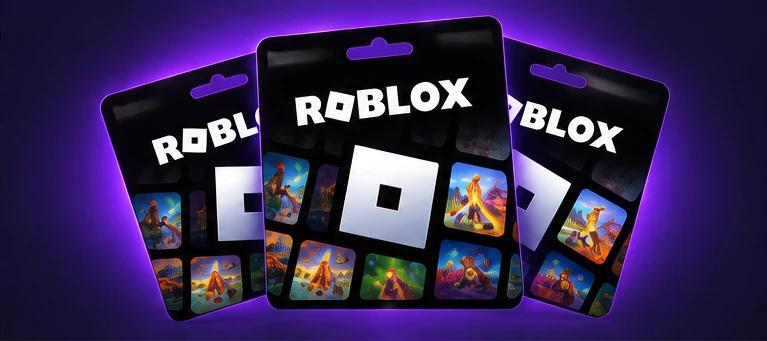
Roblox gift cards
Buy and redeem a gift card
You can buy physical and digital cards through Roblox and its listed retailers. Check the options for your region before buying.
- Buy from a Roblox-listed seller.
- Redeem the code on the intended account.
- Check whether the card grants Credit or Robux.
Stay safe
Get Robux safely
Check the seller, protect your account, and keep your receipt.
Use official purchase options
Buy through Roblox or choose a retailer listed by Roblox.
Protect your account
Keep your password, verification codes, and gift card PINs private.
Avoid free Robux offers
Skip generators and offers that ask for a login or a download.
Report suspicious activity
Use Roblox’s reporting tools for suspicious messages or offers.
Common questions
Robux top-up FAQ
Does TopBlox sell Robux?
TopBlox is an independent app for finding, saving, and launching Roblox games on Windows. Buy and redeem Robux through Roblox.
Is TopBlox the same as TopupBlox.id?
They are separate services. TopBlox is the Windows game discovery app you’re visiting. TopupBlox.id is a Robux top-up service.
Why did my gift card add credit instead of Robux?
Some cards add Roblox Credit, which you can spend on Robux on the Roblox website. Other codes grant Robux directly. Check Roblox’s redemption guide for the options available for your card.
Can I buy Robux on my phone?
Yes. Use the Robux menu in the official Roblox app, or visit Roblox in your browser. Review the package and price before confirming.
What should I check if my Robux are missing?
Check that you’re signed into the account used to buy or redeem them. Open Roblox’s balance and transaction guide to check the purchase, and keep your receipt if you need to contact support.
Is 'topupblox' an official service or related to TopBlox?
No. TopBlox is an independent desktop game discovery companion by SY DEV LABS. We do not operate any “topupblox” store, sell virtual currency, or request your account credentials. Unofficial third-party “top-up” websites claiming to offer cheap or free Robux often harvest credentials or violate Roblox Terms of Use. Only buy Robux through official Roblox channels or authorized retailers.
More help
Explore more Roblox guides
Find purchase help, account advice, and something new to play.
Account security
Get account safety advice or help with a purchase.
Roblox safety tipsContact Roblox Support
TopBlox for Windows
Find your next Roblox game
Explore curated playlists and keep your favorite games ready to play.